SmilePlay | Brushing Guide
3 min read
A toothbrushing guide for the whole family, featuring games, points, and avatars.
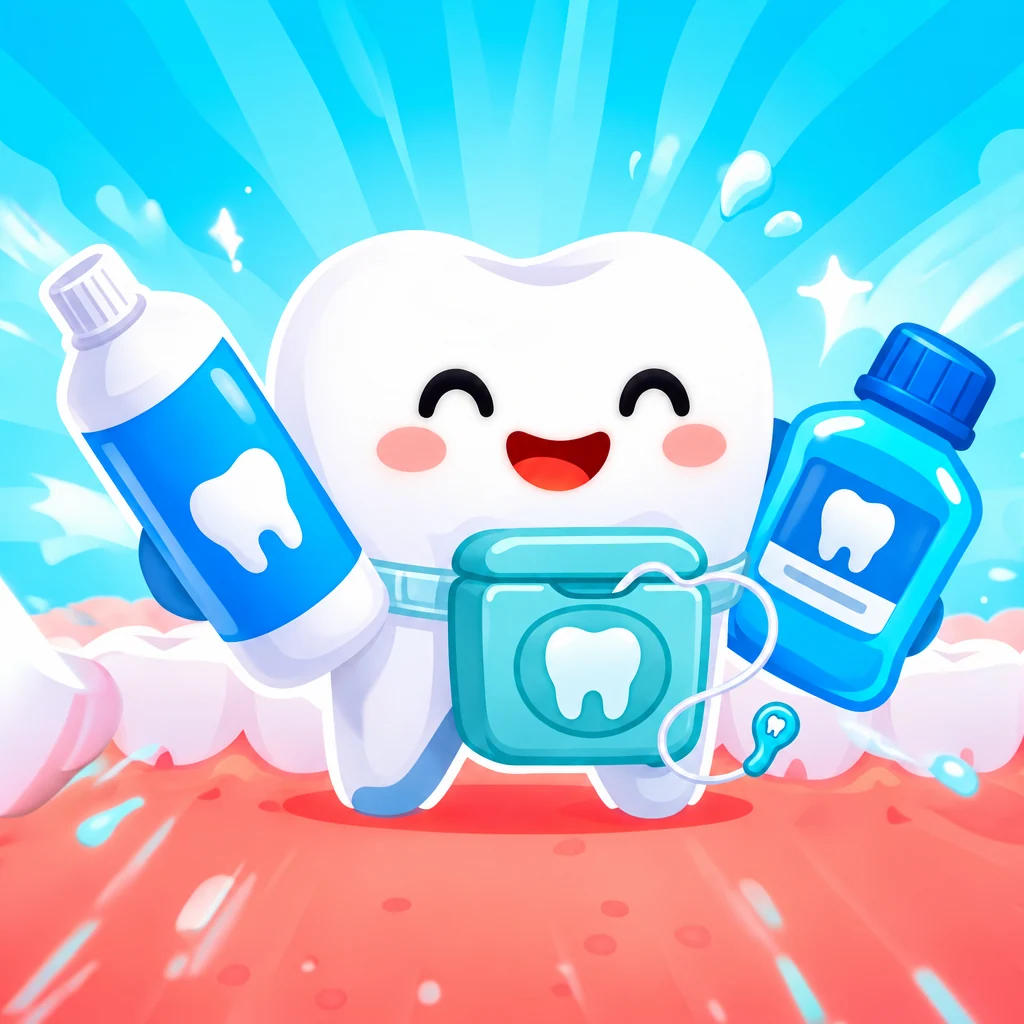
How many times a day do you say "go brush your teeth"? 🦷
SmilePlay turns the most repeated routine of the day into the most fun part of it. It's a dental hygiene guide with timers, animations, games and rewards that helps kids and adults brush better, every single day.
A complete routine, step by step 🪥
A proper clean has three parts, and SmilePlay guides you through all of them, each with its own timer so you never skip one or cut it short.
First, flossing: the part most people forget, now with its own time and steps so it doesn't stay in the drawer. Then, brushing by zone, covering the chewing surfaces, the inner and outer sides and the tongue. A drawing of your mouth shows where you are, and the LEFT and RIGHT cues leave no corner uncovered. And to finish, mouthwash, with its own countdown so you get the full effect.
Animations and sounds set the pace and keep little ones engaged, and every step comes with a dental hygiene tip. Mirror mode lets you read the instructions while you look in the mirror, and if you need to do something else, just minimize the session: the timer keeps running in a floating bubble.
A game that builds a habit 🎮
Every completed session earns points and stars, and daily and weekly streaks reward consistency: the more days in a row, the more points. With them, the SmilePlay shop lets you customize your avatar and the whole app:
• More than 70 full-body characters, from animals and dragons to legendary ones with special effects that glow and move.
• Backgrounds with illustrated scenes, themed frames and confetti to celebrate every win.
• Toothbrushes with different designs, background music, victory sounds and colors for the whole interface.
And when you want a break, four mini-games give you extra stars while you have fun:
• Total Clean: drag the brush across an open mouth and remove food, stains and tartar across 10 increasingly tough levels.
• Good Bite: move your character to catch healthy food, dodge sweets and bugs, and grab rewards with superpowers.
• Magic Colors: color the characters you've unlocked and save your drawing.
• Smile Safe: protect your teeth from waves of bugs with fluoride, floss and mouthwash.
Made for the whole family 👨👩👧
Every family member has their own profile, with their own points, settings and cosmetics, and switching between them takes a single tap. Kids profiles have a more illustrated look, designed for the little ones, and a parental control code protects purchases, profile changes and important settings. The ads shown are suitable for children.
SmilePlay is available in 12 languages: Spanish, English, French, German, Italian, Portuguese, Japanese, Korean, Chinese, Russian, Hindi and Arabic.
## Never miss your next check-up 📅
The built-in planner saves your dentist appointments, with the date, time, dentist and place, and reminds you 2 days, 1 day and 1 hour before. With the brushing history, you can also look back day by day at how you're doing: the steps of every session, game stars and streak points from the last 12 weeks.
SmilePlay Pro: everything, for good ⭐
With a single payment and no subscription, you unlock:
• No banner ads.
• Appointment planner and brushing history for the last 12 weeks.
• Unlimited profiles for the whole family (the free version has up to 4).
• Exclusive characters, frames, backgrounds and toothbrushes.
• Cloud backup of your data: your profiles, points and purchases are saved to your account and you get them back if you change phones.
• 200 bonus points for every new profile, so you can start customizing from day one.
Available on Google Play and the App Store. 📲
SmilePlay does not replace your dentist's advice. If you have questions about your oral health, please consult your dentist.
Questions or suggestions? Write to us at info@wituin.com 💌
Política de privacidad
Última actualización: 1 de noviembre de 2026 Responsable: WITUIN GAMES Contacto: info@wituin.com
SmilePlay es una app que guía el cepillado dental (hilo dental, cepillado y enjuague) en formato juego, para adultos y niños. Esta política explica qué datos trata la app, para qué, con quién se comparten y qué derechos tienes. Se aplica solo a SmilePlay.
1. Resumen
La app funciona sin crear cuenta. Tus datos se guardan en tu dispositivo.
No vendemos tus datos ni los usamos para crear perfiles publicitarios propios.
La versión gratuita muestra anuncios de Google AdMob. Los perfiles infantiles reciben anuncios dirigidos a menores.
La versión Pro puede guardar una copia de tus datos en la nube si creas una cuenta (opcional).
Los perfiles infantiles se protegen con un código parental.
2. Datos que trata la app
2.1 Datos que introduces y se guardan en tu dispositivo
Perfiles: nombre o alias, tipo de perfil (adulto o niño), avatar y cosméticos elegidos. No pedimos apellidos, fecha de nacimiento, foto ni ubicación. Recomendamos usar un alias, no el nombre completo, sobre todo en perfiles infantiles.
Progreso: puntos, estrellas, rachas, récords de los juegos, cosméticos canjeados e historial de cepillado de las últimas 12 semanas (sesiones, pasos hechos y puntos).
Agenda de citas (Pro): fecha, hora, nombre del dentista o clínica y lugar que escribas.
Ajustes: idioma, tema, tiempos, sonido y accesibilidad.
Código parental: se guarda únicamente su huella cifrada (hash), no el código.
Estos datos se guardan en el almacenamiento local de la app y no se envían a nuestros servidores salvo que uses la nube de Pro (apartado 2.3).
2.2 Anuncios (versión gratuita y anuncios recompensados)
Usamos Google AdMob. Para mostrar anuncios, Google puede tratar datos del dispositivo, como la dirección IP, identificadores del dispositivo o publicitarios y datos de uso de anuncios. En el Espacio Económico Europeo, Reino Unido y Suiza se te pide consentimiento mediante un mensaje de Google antes de mostrar anuncios personalizados, y puedes cambiarlo después.
Los perfiles infantiles reciben anuncios generales de contenido apto para todos los públicos y marcados como dirigidos a menores. No se muestran anuncios personalizados a esos perfiles.
Los anuncios recompensados son opcionales (por ejemplo, para desbloquear un cosmético un día o seguir jugando).
Más información: https://policies.google.com/technologies/ads
2.3 Nube de Pro (opcional)
Si eres Pro y decides crear una cuenta, guardamos una copia de seguridad en Google Firebase (Authentication y Cloud Firestore, servidores en la UE):
Tu correo electrónico y una contraseña (gestionada por Firebase; no la vemos).
Una copia de tus perfiles, puntos, cosméticos, rachas, récords, historial, citas y la huella del código parental. No se copian los ajustes ni el perfil activo.
Se sincroniza al abrir la app, al volver a ella tras unos minutos, al cerrar sesión y cuando pulsas «Sincronizar ahora». Puedes eliminar tu cuenta y todos los datos de la nube desde Ajustes.
2.4 Notificaciones
Los recordatorios de citas (2 días, 1 día y 1 hora antes) son notificaciones locales: se programan en tu dispositivo y no pasan por nuestros servidores. Puedes desactivarlas en los ajustes del sistema.
2.5 Compras
La compra de Pro (pago único) la gestionan Google Play o la App Store. Nosotros no recibimos ni guardamos datos de tu tarjeta ni de pago; solo la confirmación de que Pro está activo en tu cuenta de la tienda. Puedes recuperarla con «Restaurar compras».
2.6 Copia de seguridad del sistema
Android (Google) e iOS (iCloud) pueden incluir los datos de la app en la copia de seguridad de tu dispositivo, en tu cuenta de Google o de Apple. Esto lo gestiona tu sistema operativo y se rige por la política de Google o Apple.
2.7 Lo que no hacemos
No pedimos acceso a la ubicación, contactos, fotos, cámara ni micrófono.
No usamos herramientas de analítica ni de seguimiento propias. Google AdMob puede tratar identificadores del dispositivo para los anuncios (apartado 2.2).
No vendemos ni cedemos tus datos a terceros con fines comerciales.
3. Finalidad y base legal
Prestar el servicio (perfiles, puntos, historial, agenda, compras, nube): ejecución del contrato.
Anuncios personalizados: tu consentimiento (en el EEE, Reino Unido y Suiza).
Copia en la nube: tu decisión de crear la cuenta y activarla.
Seguridad y prevención de abusos: interés legítimo.
4. Con quién compartimos datos
Google (AdMob y Firebase), como proveedores de servicios, bajo sus propias condiciones.
Google Play y Apple App Store, para las compras.
No compartimos datos con nadie más, salvo obligación legal.
5. Niños
SmilePlay está pensada para toda la familia, incluidos niños. Los perfiles infantiles son creados y gestionados por un adulto, y acciones como convertirse en Pro, comprar o pasar un perfil a adulto requieren el código parental.
No recopilamos de los niños datos de contacto, ubicación ni identificadores personales; el perfil infantil solo guarda un alias, un avatar y el progreso.
Los anuncios en perfiles infantiles se piden como dirigidos a menores y de contenido apto para todos.
La cuenta de la nube la crea y gestiona un adulto: en los perfiles infantiles, el acceso a Ajustes requiere el código parental, que se configura al crear un perfil infantil.
Si crees que un niño ha facilitado datos personales de más, escríbenos y los eliminaremos.
6. Conservación y eliminación
En tu dispositivo: hasta que desinstales la app o borres sus datos. El historial se limita a 12 semanas.
En la nube: mientras mantengas la cuenta. Al eliminar la cuenta desde Ajustes se borran tu cuenta y tus datos de la nube.
Para ejercer cualquier derecho, escribe al contacto indicado arriba.
7. Tus derechos
Según tu país (por ejemplo, RGPD en la UE) puedes acceder, rectificar, suprimir, limitar u oponerte al tratamiento, solicitar la portabilidad y retirar el consentimiento en cualquier momento, y reclamar ante tu autoridad de protección de datos (en España, la AEPD: www.aepd.es). Los datos locales los controlas tú desde la app.
8. Seguridad
Aplicamos medidas razonables: las comunicaciones con Firebase van cifradas, cada usuario solo accede a su propio documento en la nube y el código parental no se almacena en claro. Ningún sistema es totalmente seguro.
9. Transferencias internacionales
Firebase usa servidores en la UE. Google puede tratar datos de anuncios en otros países con las garantías legales aplicables.
10. Cambios en esta política
Si la modificamos de forma importante, lo avisaremos en la app o en esta página, con la nueva fecha de actualización.
11. Contacto
WITUIN GAMES — info@wituin.com
12. Cómo eliminar tu cuenta y tus datos (SmilePlay, WITUIN GAMES)
1. En la app: Ajustes → Nube (Pro) → «Eliminar cuenta y datos de la nube». Se borran tu cuenta y la copia de tus datos en la nube.
2. Por correo: escribe a info@wituin.com desde el correo de tu cuenta y la eliminaremos en un máximo de 30 días.
Se eliminan: correo, perfiles, puntos, cosméticos, rachas, historial y citas de la nube. Los datos guardados en tu dispositivo se borran al desinstalar la app o borrar sus datos. No conservamos copia tras el borrado.
SmilePlay Privacy Policy
Last updated: November 1, 2026 Controller: WITUIN GAMES Contact: info@wituin.com
SmilePlay is an app that guides tooth brushing (flossing, brushing and rinsing) in a game format, for adults and children. This policy explains what data the app processes, why, who it is shared with and what rights you have. It applies to SmilePlay only.
1. Summary
The app works without creating an account. Your data is stored on your device.
We do not sell your data and we do not use it to build our own advertising profiles.
The free version shows Google AdMob ads. Child profiles receive ads directed at minors.
The Pro version can store a copy of your data in the cloud if you create an account (optional).
Child profiles are protected with a parental code.
2. Data the app processes
2.1 Data you enter, stored on your device
Profiles: name or nickname, profile type (adult or child), avatar and chosen cosmetics. We do not ask for surnames, date of birth, photos or location. We recommend using a nickname rather than a full name, especially on child profiles.
Progress: points, stars, streaks, game records, redeemed cosmetics and brushing history for the last 12 weeks (sessions, steps completed and points).
Appointment calendar (Pro): date, time, dentist or clinic name and the place you enter.
Settings: language, theme, timings, sound and accessibility.
Parental code: only its encrypted fingerprint (hash) is stored, not the code itself.
This data is stored in the app's local storage and is not sent to our servers unless you use the Pro cloud (section 2.3).
2.2 Ads (free version and rewarded ads)
We use Google AdMob. To show ads, Google may process device data such as the IP address, device or advertising identifiers and ad usage data. In the European Economic Area, the United Kingdom and Switzerland you are asked for consent through a Google message before personalized ads are shown, and you can change it later.
Child profiles receive general ads with content suitable for all audiences, requested as directed at minors. Personalized ads are not shown on those profiles.
Rewarded ads are optional (for example, to unlock a cosmetic for one day or to keep playing).
More information: https://policies.google.com/technologies/ads
2.3 Pro cloud (optional)
If you are a Pro user and choose to create an account, we store a backup copy with Google Firebase (Authentication and Cloud Firestore, servers in the EU):
Your email address and a password (handled by Firebase; we cannot see it).
A copy of your profiles, points, cosmetics, streaks, records, history, appointments and the parental code hash. Settings and the active profile are not copied.
It syncs when you open the app, when you return to it after a few minutes, when you sign out and when you tap "Sync now". You can delete your account and all cloud data from Settings.
2.4 Notifications
Appointment reminders (2 days, 1 day and 1 hour before) are local notifications: they are scheduled on your device and do not go through our servers. You can turn them off in your system settings.
2.5 Purchases
The Pro purchase (one-time payment) is handled by Google Play or the App Store. We do not receive or store your card or payment details; we only receive confirmation that Pro is active on your store account. You can recover it with "Restore purchases".
2.6 System backup
Android (Google) and iOS (iCloud) may include the app's data in your device backup, in your Google or Apple account. This is managed by your operating system and governed by Google's or Apple's policy.
2.7 What we do not do
We do not request access to location, contacts, photos, camera or microphone.
We do not use our own analytics or tracking tools. Google AdMob may process device identifiers for ads (section 2.2).
We do not sell or transfer your data to third parties for commercial purposes.
3. Purpose and legal basis
Providing the service (profiles, points, history, calendar, purchases, cloud): performance of a contract.
Personalized ads: your consent (in the EEA, UK and Switzerland).
Cloud backup: your decision to create the account and enable it.
Security and abuse prevention: legitimate interest.
4. Who we share data with
Google (AdMob and Firebase), as service providers, under their own terms.
Google Play and Apple App Store, for purchases.
We do not share data with anyone else, except where legally required.
5. Children
SmilePlay is designed for the whole family, including children. Child profiles are created and managed by an adult, and actions such as becoming Pro, purchasing or switching a profile to adult require the parental code.
We do not collect contact details, location or personal identifiers from children; a child profile only stores a nickname, an avatar and progress.
Ads on child profiles are requested as directed at minors and with content suitable for all audiences.
The cloud account is created and managed by an adult: on child profiles, access to Settings requires the parental code, which is set up when a child profile is created.
If you believe a child has provided more personal data than necessary, write to us and we will delete it.
6. Retention and deletion
On your device: until you uninstall the app or clear its data. History is limited to 12 weeks.
In the cloud: while you keep the account. When you delete the account from Settings, your account and cloud data are deleted.
To exercise any right, write to the contact above.
7. Your rights
Depending on your country (for example GDPR in the EU) you can access, rectify, erase, restrict or object to processing, request portability and withdraw consent at any time, and lodge a complaint with your data protection authority (in Spain, the AEPD: www.aepd.es). You control local data from within the app.
8. Security
We apply reasonable measures: communications with Firebase are encrypted, each user can only access their own cloud document and the parental code is not stored in clear text. No system is completely secure.
9. International transfers
Firebase uses servers in the EU. Google may process ad data in other countries with the applicable legal safeguards.
10. Changes to this policy
If we make significant changes, we will notify you in the app or on this page, with the new update date.
11. Contact
WITUIN GAMES — info@wituin.com
12. How to delete your account and data (SmilePlay, WITUIN GAMES)
1. In the app: Settings → Cloud (Pro) → "Delete account and cloud data". Your account and the copy of your data in the cloud are deleted.
2. By email: write to info@wituin.com from the email address of your account and we will delete it within 30 days at most.
What is deleted: email address, profiles, points, cosmetics, streaks, history and appointments stored in the cloud. Data stored on your device is removed when you uninstall the app or clear its data. We do not keep a copy after deletion.